
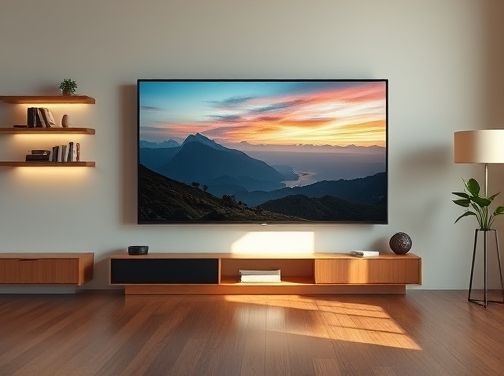
Choosing a New Television
How to Compare TV Sizes and Aspect Ratios
Understanding the Basics
The first step in picking a new television is knowing how size and aspect ratio affect your viewing experience. Size is measured diagonally from corner to corner, while aspect ratio describes the width-to-height proportion of the screen.
Screen Size vs. Viewing Distance
- Ideal Viewing Distance: A general rule suggests sitting 1.5 to 2.5 times the diagonal size away from the TV. For example, a 55‑inch TV works well at 6–9 feet.
- Room Constraints: Measure your space first. If you only have a narrow wall or limited floor area, a smaller screen might fit better and reduce eye strain.
The Significance of Aspect Ratio
- 16:9 (Widescreen): The standard for HD and UHD content. It matches most streaming services, Blu‑ray discs, and modern cable channels.
- 4:3 (Traditional): Rare in new TVs but still found on some budget models or when you need a more square format for certain applications like gaming or retro media.
- 21:9 (CinemaScope): Ideal for immersive movie watching. It mimics the cinematic experience but can produce black bars on regular TV shows.
Calculating Your Needs
To make an informed decision, follow these steps:
- Measure your room: Determine wall length and height. Make sure the TV’s width plus any desired side space fits comfortably.
- Decide on content priority: If you mainly watch movies or play video games, a widescreen 16:9 or even 21:9 might be preferable.
- Calculate optimal viewing distance: Use the formula (distance in inches) = (screen size × 1.5 to 2.5). Convert that to feet for easier reference.
Aspect Ratio and Content Compatibility
Most modern content is produced in 16:9, so a TV with this ratio will display almost everything without letterboxing. However, if you frequently view older shows or certain sports broadcasts, check whether the manufacturer offers “auto‑adjust” features that adapt to various aspect ratios.
Practical Tips for Decision Making
- Use a TV comparison tool: Many retailers offer side‑by‑side comparison charts where you can see dimensions, resolution, and price in one view.
- Check the bezel size: Thinner bezels mean more screen area for the same nominal size. A 55‑inch TV with a thick frame might feel smaller than an identical model with a slimmer design.
- Consider future upgrades: If you plan to add a soundbar or surround system later, ensure the TV’s HDMI ports and refresh rate support your setup.
Conclusion
Balancing screen size and aspect ratio is key to an enjoyable viewing experience. By measuring your space, understanding how distance affects perception, and matching your primary content type to the right ratio, you’ll choose a television that fits both your room and your entertainment habits.
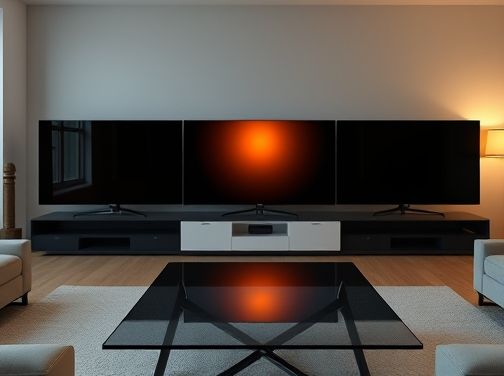
Choosing a New Television
When shopping for a new TV, one of the most critical decisions is selecting the right display technology. The three dominant options—OLED, QLED, and LED—each bring distinct strengths and trade‑offs that can dramatically affect picture quality, durability, and price. This section provides a concise yet thorough comparison to help you make an informed choice.
Understanding Display Technologies
At the heart of every television is its display panel. The three leading technologies differ in how they generate light, control color, and deliver contrast:
- OLED (Organic Light‑Emitting Diode): Each pixel emits its own light.
- QLED (Quantum‑Dot LED): Uses a backlight combined with quantum‑dot layers for color enhancement.
- LED (Standard LED‑Backlit LCD): Relies on LEDs to illuminate a liquid crystal display.
OLED: The Premium Choice
OLED panels are composed of organic compounds that light up when an electric current passes through them. Because each pixel is self‑lighting, OLED offers:
- Infinite contrast ratio: Blacks are truly black; no backlight bleed.
- Wide viewing angles: Color fidelity remains consistent from nearly any angle.
- Fast response times: Ideal for gaming and fast‑action content.
The main drawbacks are higher cost, potential for image retention (burn‑in) with static images, and shorter lifespan compared to LED technologies. However, premium OLED models now feature advanced pixel‑management algorithms that mitigate burn‑in risks.
QLED: Quantum Leap in Color
QLED is Samsung’s branded variant of a quantum‑dot LCD. It employs a standard LED backlight with a thin film of quantum dots—nanoparticles that emit precise colors when illuminated. Advantages include:
- Brighter peak luminance: Excellent for HDR performance in bright rooms.
- Color volume: Quantum dots provide a wider color gamut than typical LED panels.
- No burn‑in risk: Backlit architecture protects against image retention.
QLED TVs tend to be slightly thicker and heavier than OLEDs but are generally more affordable for large screen sizes. The trade‑off is that contrast ratios, while improved over standard LED, still rely on backlight dimming techniques rather than true black pixels.
LED: The Conventional Workhorse
The LED category refers to LCD panels illuminated by LEDs—often edge‑lit or full‑array. Key characteristics include:
- Affordability: Lowest entry price across all sizes.
- Longevity: Longer lifespan due to non‑organic components.
- Flexibility in design: Can be made ultra‑thin or integrated into slim TVs.
However, LED panels generally suffer from limited contrast ratios and narrower viewing angles compared to OLED. Recent advancements like local dimming zones and Mini‑LED backlights have narrowed the performance gap but at increased cost.
Which Technology Should You Choose?
- Prioritize picture quality: If you demand cinematic blacks, wide viewing angles, and gaming responsiveness, OLED is the clear winner—especially for dark‑room settings.
- Brightness matters: For bright living rooms or HDR content that benefits from high peak luminance, QLED offers superior brightness without compromising color accuracy.
- Budget constraints: LED TVs deliver solid performance at the lowest price point. If you’re watching primarily in well‑lit environments and value longevity, LED is a practical choice.
- Screen size considerations: OLED panels are typically available up to 75 inches for mainstream models; QLED and LED can reach larger sizes (up to 100+ inches) at comparable prices.
- Longevity and maintenance: For long‑term use without concern for static images, QLED or LED may be preferable due to their resistance to burn‑in.
Ultimately, the best choice hinges on your viewing habits, room lighting, and budget. By weighing these factors against the strengths of OLED, QLED, and LED technologies, you can confidently select a television that delivers the experience you value most.
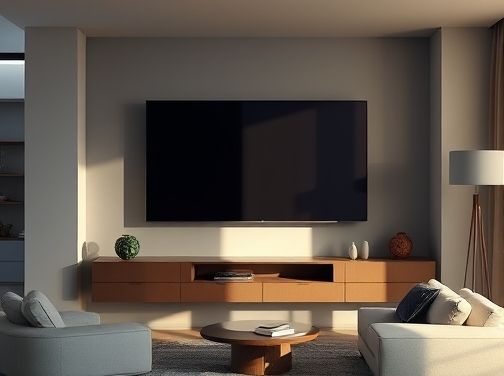
Choosing a New Television
Screen Resolution, HDR, and Refresh Rate Explained
When shopping for a new television, three technical terms often dominate the conversation: screen resolution, high‑dynamic range (HDR), and refresh rate. Though they sound like jargon, each plays a vital role in shaping what you see on the screen. Understanding them will help you make an informed decision that balances picture quality with your budget.
Screen Resolution
Resolution refers to the number of pixels that compose an image. The higher the pixel count, the sharper and more detailed the picture. Common resolutions include:
- 1080p (Full HD) – 1920 × 1080 pixels. Still common in mid‑range sets but becoming less prevalent.
- 4K Ultra HD – 3840 × 2160 pixels, four times the pixel count of 1080p. Provides noticeably clearer images, especially on larger screens or when sitting closer to the TV.
- 8K – 7680 × 4320 pixels, an emerging standard that offers incredible detail but requires a hefty price tag and limited content.
For most households, a 4K display delivers a satisfying visual experience without the premium cost of 8K. However, if you own a very large screen or prefer to sit close to the TV, consider upgrading to ensure pixels remain indistinguishable at typical viewing distances.
High‑Dynamic Range (HDR)
HDR enhances contrast and color depth by allowing a broader range of brightness levels. While standard dynamic range (SDR) limits black levels to a flat gray and bright highlights to a hard cutoff, HDR pushes the extremes: deep blacks that retain detail in shadows and vibrant whites that still show subtle gradations.
- HDR10 – The baseline format with static metadata; widely supported across brands.
- Dolby Vision – Uses dynamic metadata to adjust each scene’s brightness, offering a more precise HDR experience but requiring compatible content and hardware.
- HLG (Hybrid Log‑Gamma) – Primarily for broadcast TV, combines HDR with SDR compatibility.
HDR content is increasingly available on streaming services like Netflix, Disney+, and Amazon Prime. Even if your library is limited, a TV that supports multiple HDR formats ensures future compatibility as more titles adopt these standards.
Refresh Rate
The refresh rate, measured in hertz (Hz), indicates how many times per second the screen updates its image. A higher refresh rate translates to smoother motion, which is especially noticeable during fast action scenes or sports broadcasts.
- 60 Hz – Standard for most TVs; sufficient for casual viewing but can appear slightly choppy with rapid movement.
- 120 Hz – Common in premium models; offers fluid motion and reduces judder when watching 24‑fps movies or sports.
- 240 Hz – Rare in mainstream TVs, more typical of gaming monitors. While it delivers the smoothest experience, the difference beyond 120 Hz is often negligible for ordinary content.
Many manufacturers employ motion interpolation (also called “frame rate conversion”) to boost perceived refresh rates. However, this can introduce the “soap‑opera effect,” where natural motion becomes unnaturally smooth. If you prefer an authentic cinematic look, look for a TV that allows you to disable or adjust these settings.
Putting It All Together
A balanced TV purchase typically involves selecting:
- 4K resolution – For crisp detail across most modern content.
- HDR10+ or Dolby Vision support – To experience richer colors and contrast.
- At least 120 Hz refresh rate – For smooth motion without over‑processing.
By aligning these three specifications with your viewing habits—whether you’re a movie enthusiast, sports fan, or gamer—you’ll ensure that your new television delivers an engaging and visually stunning experience for years to come. 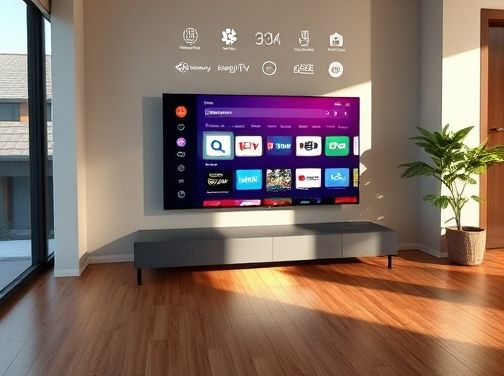
Choosing a New Television
Smart TV Features: Apps, Voice Control, and Ecosystem Compatibility
A modern television is more than just a screen; it’s an entertainment hub that integrates seamlessly with your digital life. When selecting a new smart TV, understanding how its built‑in apps, voice control capabilities, and ecosystem compatibility work together can make all the difference between a good purchase and a great one.
1. App Ecosystem: The Digital Storefront
The first thing to examine is the breadth and quality of the TV’s app store. A robust catalog means you can access streaming services, gaming platforms, news outlets, and productivity tools without leaving your couch. Popular brands like Samsung’s Tizen, LG’s webOS, Sony’s Android TV, and Roku TV each offer unique collections:
- Samsung Tizen: Known for its clean interface and extensive app list, including Netflix, Disney+, and Amazon Prime Video.
- LG webOS: Features a “Magic Remote” that makes navigation intuitive, plus an impressive lineup of 4K streaming apps.
- Android TV: Offers the Google Play Store’s full range of apps, plus support for Android Auto and YouTube Gaming.
- Roku TV: Focuses on simplicity with a curated channel list and built‑in ad‑free experience in many cases.
Beyond streaming services, consider the availability of niche applications—such as fitness apps that stream live classes or educational platforms for children. A TV with a well-maintained app ecosystem can adapt to your evolving media habits without needing additional hardware.
2. Voice Control: Hands‑Free Convenience
Voice assistants are now a staple of smart TVs, offering instant search, remote control, and integration with smart home devices. Evaluate the assistant’s language support, accuracy, and feature set:
- Google Assistant: Excels at web searches, controlling Google Home devices, and providing contextual answers.
- Amazon Alexa: Strong in home automation, especially if you already own Echo devices.
- Bixby (Samsung): Offers deep integration with Samsung’s ecosystem, including SmartThings for home control.
- Apple Siri (on Apple TV): Works seamlessly with HomeKit and the broader Apple ecosystem.
A good voice assistant should recognize commands in multiple languages, understand context, and support a range of actions—from changing channels to adjusting smart lights. If you rely on other devices that use a particular assistant, choosing a TV that shares the same platform can streamline your user experience.
3. Ecosystem Compatibility: One Platform or Multiple?
Your home is likely filled with smart gadgets—thermostats, security cameras, speakers, and more. A TV that integrates well into this ecosystem reduces friction:
- HomeKit (Apple): Apple TVs can control HomeKit accessories directly through Siri, offering a unified experience for iPhone users.
- Google Assistant & Nest: Android TVs with Google Assistant can manage Nest thermostats and cameras, making it easy to monitor your home via the TV screen.
- Alexa & SmartThings: Samsung’s Bixby is tightly coupled with SmartThings, allowing you to control a wide array of brands through a single interface.
- Roku & BroadLink: Roku TVs can pair with BroadLink devices, offering another layer of smart home integration for users who prefer a more open platform.
Consider how many of your existing devices you want to control from the TV. If you have an Apple ecosystem, an Apple TV might be optimal; if you’re invested in Google services, an Android or Roku TV could serve you better. Mixed ecosystems are possible but often require additional apps or bridges.
Conclusion
When choosing a new television, the synergy between its app library, voice control capability, and ecosystem compatibility determines how well it will fit into your daily life. A TV with a rich app selection gives you access to all the content you love; robust voice control offers convenience; and seamless ecosystem integration ensures that your smart home devices work in harmony. By weighing these factors together, you’ll select a smart TV that not only displays beautiful picture quality but also elevates your entire entertainment experience.

Choosing a New Television
Budget‑Friendly Options vs Premium Models: What You Get for Your Money
The decision to upgrade your TV can feel like navigating a maze of options. On one side, budget‑friendly models promise decent performance at an affordable price; on the other, premium units boast cutting‑edge features and uncompromising quality. Understanding what each tier delivers helps you align your purchase with both your needs and your wallet.
1. Picture Quality
- Budget TVs: Most entry‑level sets use LED panels with 720 p or 1080 p resolution. While adequate for casual viewing, they lack the depth and clarity of higher‑resolution displays. HDR support is often limited to basic HDR10, resulting in a modest boost in contrast.
- Premium TVs: Premium models feature OLED or QLED panels with 4K (2160 p) resolution at minimum. OLED offers true blacks and infinite contrast ratios, while QLED delivers brighter peaks and vibrant colors. Advanced HDR formats—HDR10+, Dolby Vision, and HLG—provide dynamic metadata for scene‑by‑scene optimization.
2. Color Accuracy & Viewing Angles
- Budget TVs: LED panels typically have narrower color gamuts (≈ 70–80 % DCI‑P3) and limited viewing angles. Colors may shift or fade when viewed off‑axis, which can be problematic in rooms with multiple seating positions.
- Premium TVs: OLED screens cover nearly 100 % of the DCI‑P3 gamut, delivering richer hues even at wide angles. QLED panels also improve color fidelity through quantum dot technology, ensuring consistent performance across diverse lighting conditions.
3. Smart Features & Operating System
- Budget TVs: Many budget models run on lightweight operating systems like Roku TV or Android TV Lite. While functional, they may lack the polish and app ecosystem of flagship platforms, and firmware updates can be sporadic.
- Premium TVs: Premium units often ship with refined OS interfaces—e.g., Samsung’s Tizen, LG’s webOS, or Sony’s Google‑TV-based platform. These systems offer faster navigation, more apps, and regular updates that add new features and security patches.
4. Audio Quality
- Budget TVs: Built‑in speakers in budget models are usually 2–4 W, producing adequate sound for small rooms but lacking depth and clarity. Many users rely on external soundbars or home theater systems.
- Premium TVs: Premium sets often incorporate advanced audio technologies such as Dolby Atmos or proprietary surround sound systems. They provide richer spatial audio, reducing the need for additional speakers in many setups.
5. Design & Build Quality
- Budget TVs: Thicker bezels and less robust chassis are common. While functional, they may feel bulkier or less premium when placed on a wall or stand.
- Premium TVs: Sleek, almost bezel‑less designs with aluminum frames convey luxury. Premium models also feature more precise assembly tolerances, contributing to longer lifespan and reduced vibration noise.
6. Connectivity & Expandability
- Budget TVs: Typically include 2–4 HDMI ports (often only HDMI 1.4), limited USB options, and basic Wi‑Fi/Bluetooth support. Users may need adapters for high‑bandwidth devices.
- Premium TVs: Offer multiple HDMI 2.1 ports supporting higher refresh rates (120 Hz) and eARC for audio return channel. Enhanced Wi‑Fi (Wi‑Fi 6) and Bluetooth 5+ provide faster, more reliable connections to streaming devices and smart home ecosystems.
7. Longevity & Warranty
- Budget TVs: Standard warranties range from 1–2 years with no extended coverage options at a premium price. Components may have shorter expected lifespans, especially LED backlights that degrade over time.
- Premium TVs: Warranties often extend to 3–5 years, sometimes including accidental damage protection for an additional fee. OLED panels, while costly, typically last longer than traditional LED displays when used within recommended parameters.
8. Value Proposition: When to Stretch Your Budget
- If you prioritize: high‑resolution HDR content, cinematic color accuracy, and a premium build—investing in a top‑tier model pays off through immersive experiences that justify the cost.
- If you’re a casual viewer: streaming short videos or watching sports on a small screen—budget models provide satisfactory performance at a fraction of the price.
9. Practical Tips for Decision Making
- Define your primary use: gaming, movies, news, or general TV viewing.
- Measure room size and lighting conditions to choose between HDR levels and panel types.
- Set a clear budget range; consider the total cost of ownership (including potential audio upgrades).
- Read recent reviews that focus on real‑world performance rather than lab specs alone.
- Check for sales or bundles—many manufacturers offer soundbars or wall mounts at discounted rates with premium purchases.
Ultimately, the best choice balances technical excellence with financial prudence. Budget‑friendly TVs provide reliable entertainment without breaking the bank, while premium models deliver a refined, future‑proof experience that elevates everyday viewing into an event. By aligning your priorities with what each tier offers, you can confidently choose a television that delivers maximum value for your money.